AOR ARD9000 Instruction Manual
Browse online or download Instruction Manual for Receiver AOR ARD9000. AOR ARD9000 Instruction manual User Manual
- Page / 19
- Table of contents
- BOOKMARKS


Summary of Contents
Digital Voice Modem ARD9000 I n s t r u c t i o n M a n u a l AOR, LTD. Authority On Radio communications
e. Status LED SITUATION LED Analog standby Off Digital standby Green Analog transmit Red Digital transmit Orange Digital receive Green blinki
Color Polarity RED Positive (+) BLACK Neg
k. RADIO Connector Using the supplied 8-pin connector, connect the ARD9000 to your transceiver s microphone input. You will need to prepare your o
Presetting Microphone Level The microphone level has been properly adjusted at the factory with the provided speaker-microphone. Th
correctly set to enable effective operation with your transceiver. The ARD9000 allows you to apply separate settings for analog and digi
Input Level from Radio Analog voice: The ARD9000 does not provide any sound amplification for analog voice! Analog voice from your ra
Operation Voice Communication Your ARD9000 is capable of Digital Voice Communications and Analog Voice Communication. In the receive mode, t
Specifications ARD9000 Specification Modulation method: OFDM Bandwidth: 300 Hz - 2500 Hz, 36 carriers Symbol Rate: 20 mS (50 baud) Guard interval:
Addendum Audio buzz in analog mode The ARD9000 is popular and selling well, since its introduction to the amateur radio market on May 2005. T
AOR, LTD. 2-6-4, Misuji, Taito-Ku Tokyo, 111-0055, Japan http://www.aorja.com Copyright 2005 All rights reserved
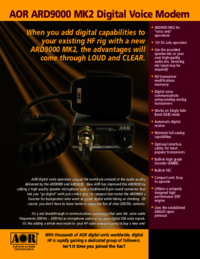
Thank you for purchasing the AOR ARD9000 Digital Voice Modem. All over the world, hams have been discovering how much fun it is to work
Features: zNo transceiver modifications needed. The ARD9000 uses the same audio frequencies (300Hz~2500Hz) as microphone audio to modul
Precautions To prevent fire, personal injury, or unit damage, please observe the following precautions: zDo not attempt to adjust thi
Table of Contents Page Supplied & optional ac
Supplied Accessories The following items are provided in the package: Accessory Quantity Speaker Microp
Wire connection The graphic below describes the basic cable connections to allow you to operate the ARD9000 in its default configuratio
Controls and Functions Front Panel The supplied speaker-microphone is provided for your convenience. However if you prefer not using the supp
c. Overload indicator 1) Microphone level (transmission only) Lit when the microphone input is overloaded in transmitting voice. A proper microph
More documents for Receiver AOR ARD9000


Related products and manuals for Receiver AOR ARD9000
 (147 pages)
(67 pages)
(77 pages)
(115 pages)
(2 pages)
(16 pages)
(28 pages)
(8 pages)
(42 pages)
(120 pages)
(2 pages)
(95 pages)
(2 pages)
(91 pages)
(52 pages)
(19 pages)
(84 pages)
(36 pages)
(4 pages)
(12 pages)
(147 pages)
(67 pages)
(77 pages)
(115 pages)
(2 pages)
(16 pages)
(28 pages)
(8 pages)
(42 pages)
(120 pages)
(2 pages)
(95 pages)
(2 pages)
(91 pages)
(52 pages)
(19 pages)
(84 pages)
(36 pages)
(4 pages)
(12 pages)
© 2020, manymanuals.com. All rights reserved. | 0.045 s |
 Manymanuals.com
 Manymanuals.de
 Manymanuals.fr
 Manymanuals.it
 Manymanuals.pl
 Manymanuals.cz
 Manymanuals.es
 Manymanuals-pt.com
Comments to this Manuals